After 5000+ Failed Prompts, I Finally Created One That Can Replace Premium Photography — Copy This…
Section titled “After 5000+ Failed Prompts, I Finally Created One That Can Replace Premium Photography — Copy This…”
Welcome to Let’s Code Future! 🚀 We share stories on Software Development, AI, Productivity, Self-Improvement, and Leadership to help you grow, innovate, and stay ahead. join us in shaping the future — one story at a time!
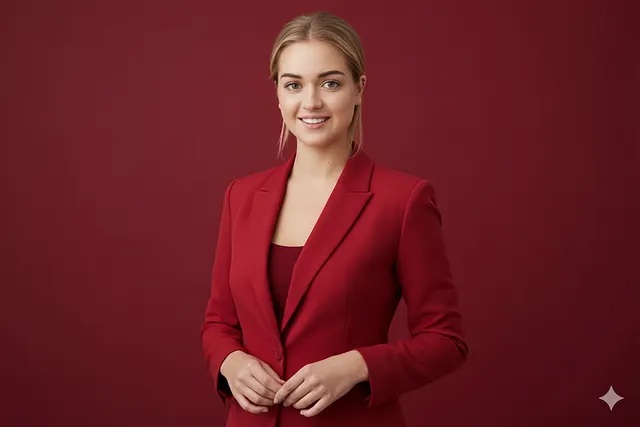
For a long time, I believed the problem was me.
Nonmembers click here
Every time I uploaded a photo and generated a “professional” AI portrait, something felt wrong. The lighting looked dramatic. The skin looked artificial. The face looked familiar, but not mine. The image was impressive, yes — but it didn’t feel real.
I tried everything people recommended. Viral prompts. Paid “premium” prompt packs. Studio keywords. Cinematic lighting tricks. Each attempt looked slightly better than the last, yet none of them solved the core issue.
The identity was always lost.
After more than 500 failed prompts, I realized the uncomfortable truth:
Most AI portrait prompts are not written by photographers. They’re written by designers trying to impress the model.
That’s when I stopped chasing beauty — and started chasing authenticity.
I began asking a different question:
What would a real professional photographer care about first?
Not effects.
Not drama.
Not “wow”.
A real photographer protects identity before touching anything else.
Once I understood that, the prompt almost wrote itself.
Here Is the Exact Prompt That Changed Everything
Section titled “Here Is the Exact Prompt That Changed Everything”Below is the master prompt I now use to generate clean, realistic, studio-quality portraits that preserve identity and look genuinely professional.
You can copy it as-is and adapt the placeholders to your needs.
MASTER PROMPT (IMAGE-TO-IMAGE PROFESSIONAL PORTRAIT STYLE)
Section titled “MASTER PROMPT (IMAGE-TO-IMAGE PROFESSIONAL PORTRAIT STYLE)”**You are a Professional Fashion & Corporate Portrait Photographer and High-End Retouching Expert.**
Using the **uploaded reference image of the person**, generate a **professional studio portrait** that preserves the **same person’s identity, facial structure, and likeness**, while upgrading the image to a **high-end brand photography style**.
---
### IMAGE GUIDANCE (VERY IMPORTANT)
* Use the uploaded image as the **identity reference*** Preserve:
* Face shape * Skin tone * Facial features * Hair structure* Do **not** change the person’s identity* Do **not** beautify unrealistically
---
### SUBJECT
Person in the uploaded image: **{{PERSON_DESCRIPTION}}**(e.g., confident professional man / woman, clean appearance)
---
### CLOTHING & STYLING
Replace or refine outfit to: **{{OUTFIT_DESCRIPTION}}**
* Tailored blazer / suit / professional fashion wear* Clean lines, premium fabric look* Modern, well-fitted styling* Minimal accessories
---
### POSE & EXPRESSION
* Confident, relaxed posture* Natural body alignment* Calm, professional expression* Direct eye contact* Hands relaxed or gently clasped
---
### BACKGROUND
* Solid studio background* Color: **{{BACKGROUND_COLOR}}*** Seamless, smooth backdrop* No textures or patterns
---
### LIGHTING
* Professional studio lighting setup* Soft key light from front or side* Balanced shadows* Natural skin highlights* Editorial / corporate portrait lighting
---
### COLOR & MOOD
* Clean monochrome or complementary palette* Sophisticated, premium brand feel* Corporate / fashion editorial tone
---
### COMPOSITION
* Chest-up or waist-up framing* Centered subject* Sharp focus on face* Balanced negative space
---
### RETOUCHING RULES
* Natural skin texture preserved* Remove blemishes only if distracting* No plastic skin* No over-sharpening
---
### CONSTRAINTS
* No cartoon or stylized look* No cinematic color grading* No dramatic effects* No background distractions
---
### OUTPUT QUALITY
* Ultra-high resolution* LinkedIn / website / portfolio ready* Magazine-quality professional portraitHow to use
Section titled “How to use”STEP 1: Choose Your Tool
Section titled “STEP 1: Choose Your Tool”Use any AI tool that supports image upload + prompt, for example:
- ChatGPT (image upload)
- Midjourney (image + text)
- Leonardo
- Nano Banana
STEP 2: Upload Your Photo
Section titled “STEP 2: Upload Your Photo”- Upload one clear photo of yourself
- Best input photo:
- Face clearly visible
- Neutral lighting
- No heavy filters
- Front or slight-angle pose
Note: This photo is your identity reference
STEP 3: Paste the MASTER PROMPT
Section titled “STEP 3: Paste the MASTER PROMPT”Paste the Image-to-Image Professional Portrait Master Prompt (the one I gave you).
STEP 4: Replace ONLY the Placeholders
Section titled “STEP 4: Replace ONLY the Placeholders”Change only these 3 lines 👇
{{PERSON_DESCRIPTION}} → confident professional man{{OUTFIT_DESCRIPTION}} → tailored dark green blazer with matching t-shirt{{BACKGROUND_COLOR}} → solid deep green studio background❌ Do NOT change anything else
❌ Do NOT add extra styling words randomly
STEP 5: Generate
Section titled “STEP 5: Generate”Click Generate / Create
The AI will:
- Keep your face & identity
- Replace clothes if needed
- Add studio lighting
- Add solid background
- Output a professional portrait like the example grid
In the next section, I’ll show real examples generated using this exact prompt, including how small changes in outfit and background completely change the final result without breaking identity.
Examples
Section titled “Examples”Upload image
Section titled “Upload image”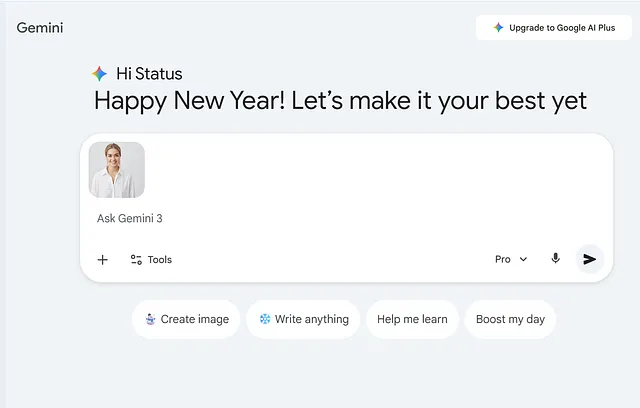
Replace placeholder in master prompt
Section titled “Replace placeholder in master prompt”{{PERSON_DESCRIPTION}} = confident professional woman{{OUTFIT_DESCRIPTION}} = elegant red tailored blazer with a minimal top{{BACKGROUND_COLOR}} = solid deep red studio background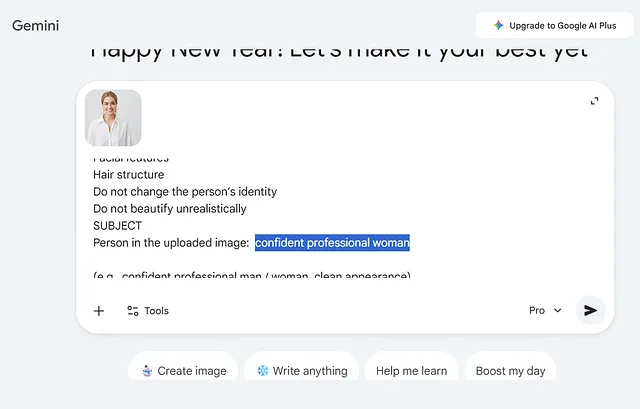
Output
Section titled “Output”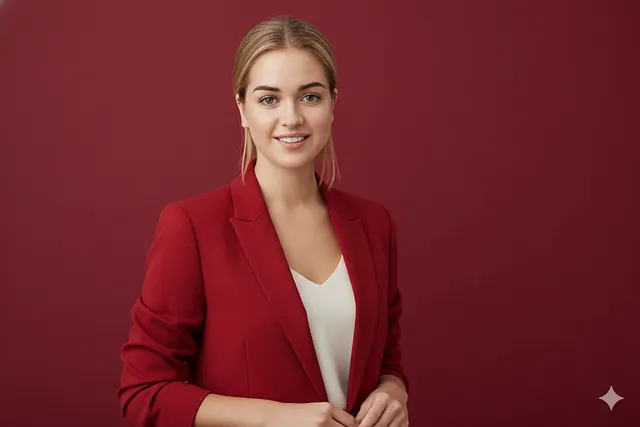
Second example
Section titled “Second example”Upload you image

Replace placeholders
{{PERSON_DESCRIPTION}} = confident professional man{{OUTFIT_DESCRIPTION}} = crisp navy blue blazer with a white t-shirt{{BACKGROUND_COLOR}} = pure white seamless studio backgroundResult
Section titled “Result”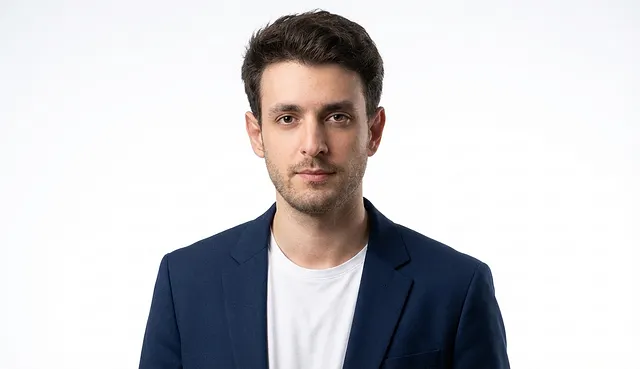
There are a few more examples for you — try them yourself
Section titled “There are a few more examples for you — try them yourself”Professional Portrait Prompt Examples (Men & Women)
Section titled “Professional Portrait Prompt Examples (Men & Women)”Use the same master prompt every time.
Only replace the 3 placeholders shown in each example.
Men — Professional Color Variations
Section titled “Men — Professional Color Variations”White (Classic Corporate)
{{PERSON_DESCRIPTION}} = confident professional man{{OUTFIT_DESCRIPTION}} = navy blue blazer with white t-shirt{{BACKGROUND_COLOR}} = pure white seamless studio backgroundDark Blue (Executive Look)
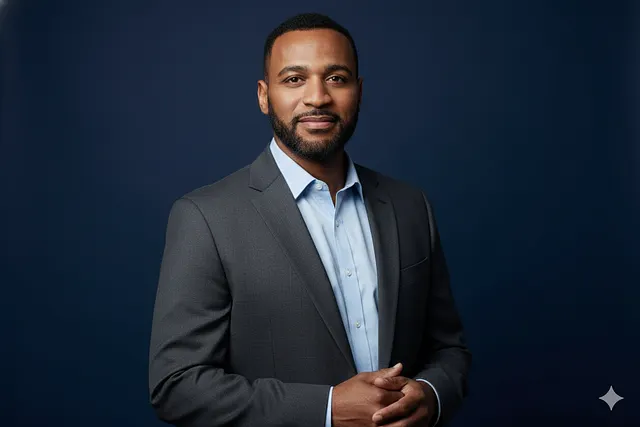
{{PERSON_DESCRIPTION}} = senior professional man{{OUTFIT_DESCRIPTION}} = charcoal blazer with light blue shirt{{BACKGROUND_COLOR}} = solid deep navy studio backgrounGrey (LinkedIn Safe)
{{PERSON_DESCRIPTION}} = modern working professional man{{OUTFIT_DESCRIPTION}} = grey blazer with black t-shirt{{BACKGROUND_COLOR}} = soft neutral grey studio backgroundBlack (High-Impact / Founder Style)
{{PERSON_DESCRIPTION}} = confident startup founder{{OUTFIT_DESCRIPTION}} = black blazer with black crew-neck t-shirt{{BACKGROUND_COLOR}} = matte black studio backgroundGreen (Tech / Creative Professional)
{{PERSON_DESCRIPTION}} = tech professional man{{OUTFIT_DESCRIPTION}} = dark green blazer with minimal white t-shirt{{BACKGROUND_COLOR}} = deep emerald green studio backgroundWomen — Professional Color Variations
Section titled “Women — Professional Color Variations”White (Clean & Timeless)
{{PERSON_DESCRIPTION}} = confident professional woman{{OUTFIT_DESCRIPTION}} = white blazer with neutral top{{BACKGROUND_COLOR}} = pure white seamless studio backgroundRed (Bold & Leadership)
{{PERSON_DESCRIPTION}} = confident business woman{{OUTFIT_DESCRIPTION}} = elegant red tailored blazer{{BACKGROUND_COLOR}} = deep red studio backgroundBeige (Soft & Elegant)
{{PERSON_DESCRIPTION}} = modern professional woman{{OUTFIT_DESCRIPTION}} = beige blazer with cream top{{BACKGROUND_COLOR}} = warm beige studio backgroundGrey (Corporate & LinkedIn Friendly)
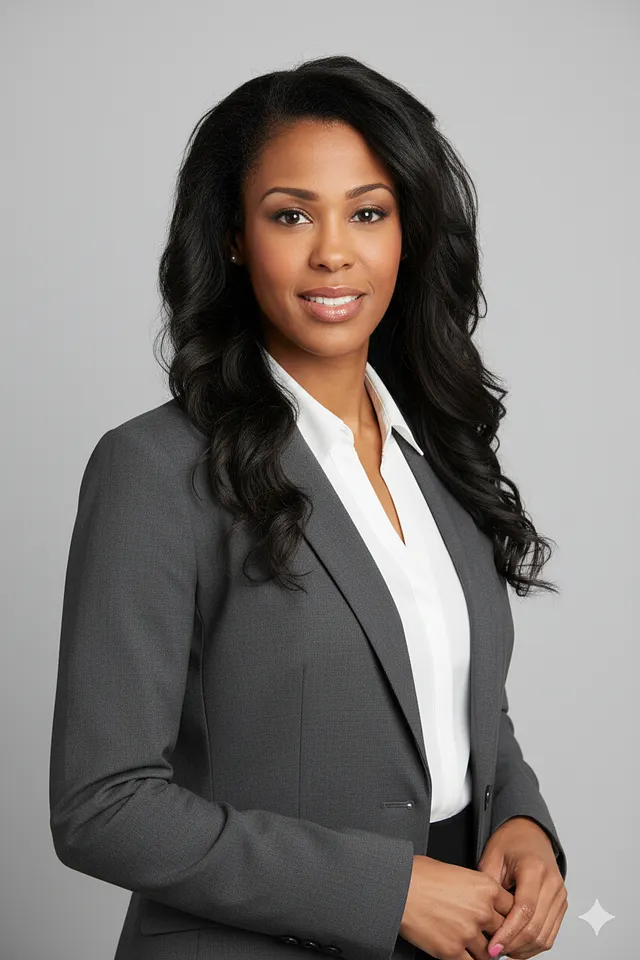
{{PERSON_DESCRIPTION}} = senior corporate professional woman{{OUTFIT_DESCRIPTION}} = grey blazer with white blouse{{BACKGROUND_COLOR}} = light grey studio backgroundDark Green (Creative / Brand Look)
{{PERSON_DESCRIPTION}} = creative professional woman{{OUTFIT_DESCRIPTION}} = dark green blazer with black top{{BACKGROUND_COLOR}} = muted forest green studio backgroundSome Great result from this prompt
Section titled “Some Great result from this prompt”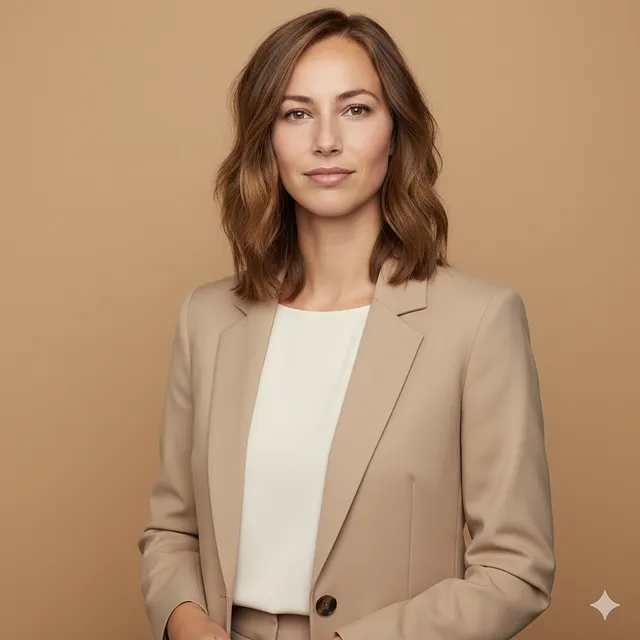
Before you leave, I want to ask for one small thing.
Section titled “Before you leave, I want to ask for one small thing.”This prompt didn’t come from a single lucky try. It came from hundreds of failed attempts, frustration, learning, and quiet experimentation. I shared it openly because it genuinely helped me — and I believe it can help others too.
If you try this prompt, please leave one comment and tell me your experience. What worked for you? What surprised you? What didn’t? Even a short line means more than you think.
Your comments tell me whether this kind of deep, practical work is actually useful. And if I see real interest and feedback, I’ll keep creating more prompts like this — refined, tested, and shared freely — just like this one.
Thank you for reading, and thank you for being part of the process.


Welcome to Let’s Code Future! 🚀 We share stories on Software Development, AI, Productivity, Self-Improvement, and Leadership to help you grow, innovate, and stay ahead. join us in shaping the future — one story at a time!
More from Deep concept and Let’s Code Future
Section titled “More from Deep concept and Let’s Code Future”Recommended from Medium
Section titled “Recommended from Medium”[
See more recommendations