How to Use AI to Fix the Website You Built and No One Visits
Section titled “How to Use AI to Fix the Website You Built and No One Visits”
Recruits with their mattresses tied to them to serve as life preservers. Photo taken at Newport Naval Training Station, Rhode Island. Underwood and Underwood., 04/1917. Original public domain image from Flickr
So I thought it would be fun to show how I’m solving real world problems with my own website using Claude Code and Cursor.
This isn’t going to be a flashy showcase, I’m not going to promise to make you (or myself rich) and heck I don’t even know if anything I do will actually increase the users on the site, but I’m going to try my best and to document the process.
Not a Medium member? Keep reading for free by clicking here.
Let’s be honest though, we are all building websites that no one is going to. We don’t need AI to help us build more pages and random features, we need AI to help us actually grow what we have built.
I thought this would be fun because when I first started writing I talked about my plan to start writing in this blog post here.
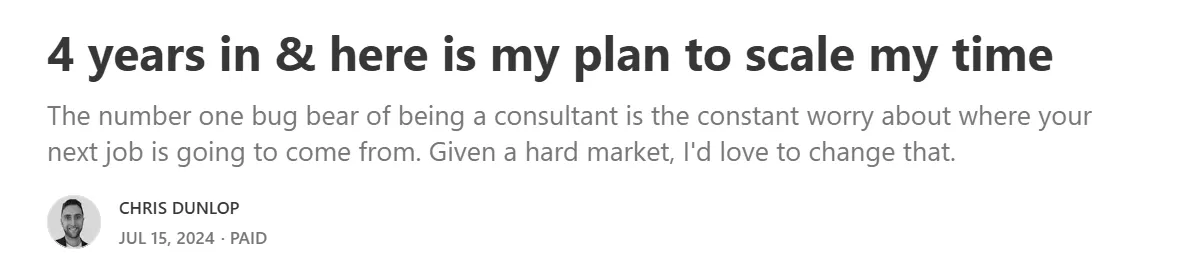
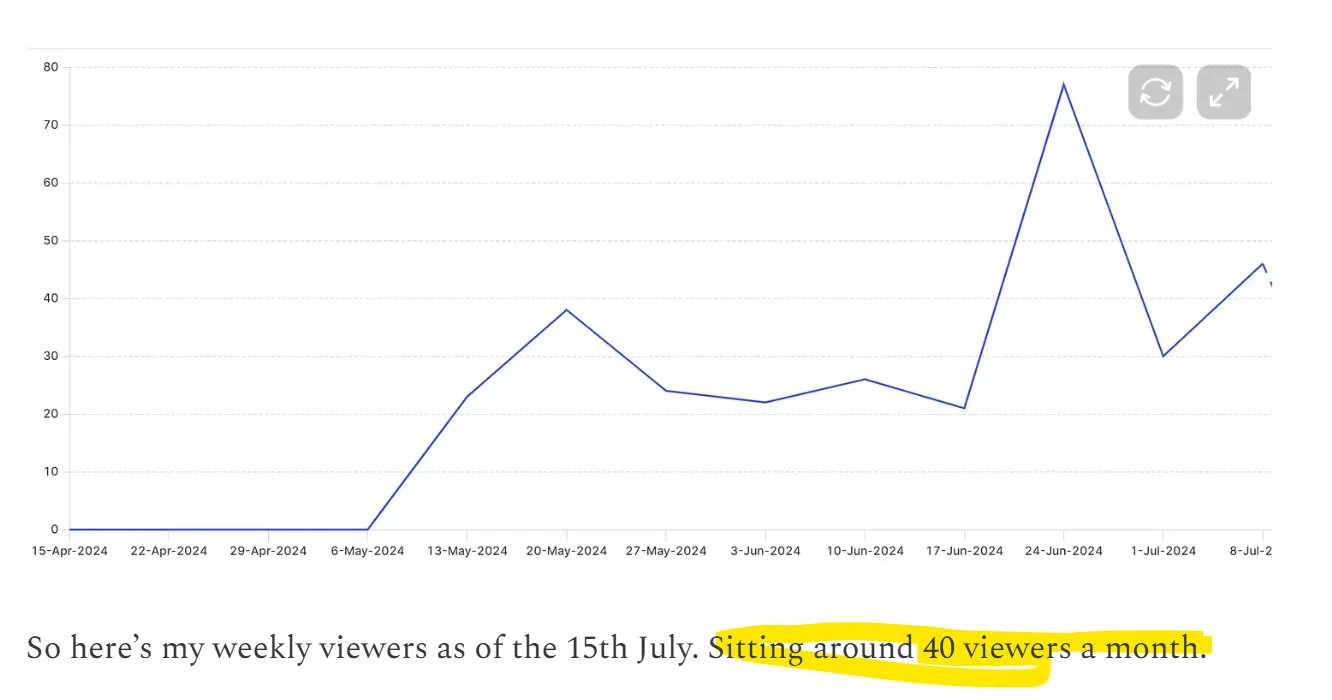
At the time I had 40 viewers a month and that was nearly 2 years ago.
Now 2 years later, thanks to this great audience on Medium, there is close to 20,000 people that subscribe which is just amazing (and feels quite surreal).

But there is a realness in posts like these. Writing about things before you know how they turn out. I love reading that post from 2 years ago because I was so nervous and apprehensive and unsure of myself.
Now I feel exactly the same way with my website.
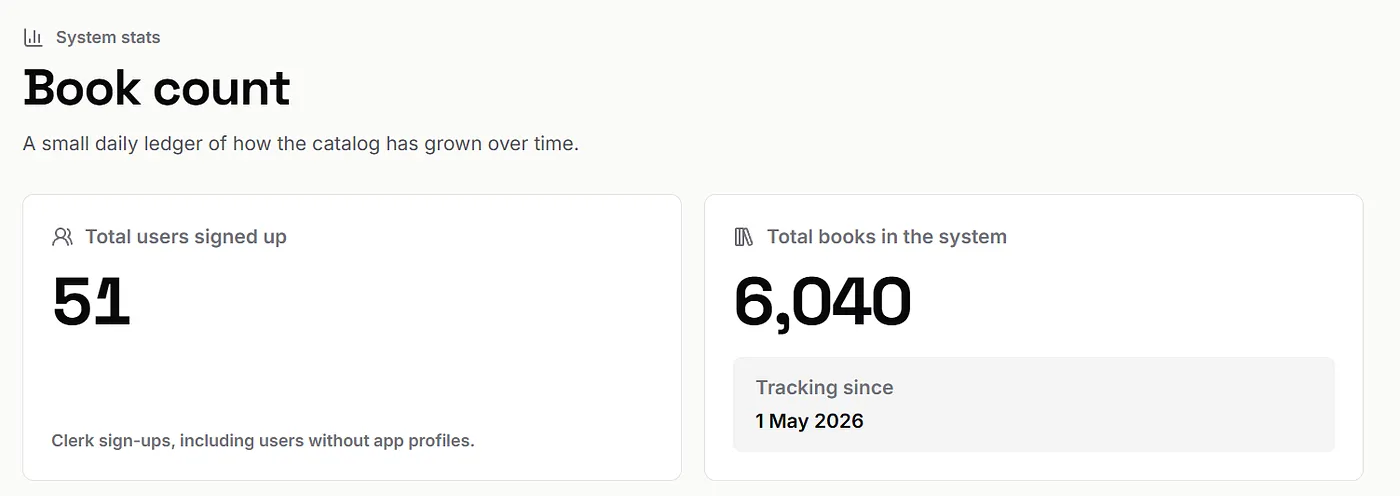
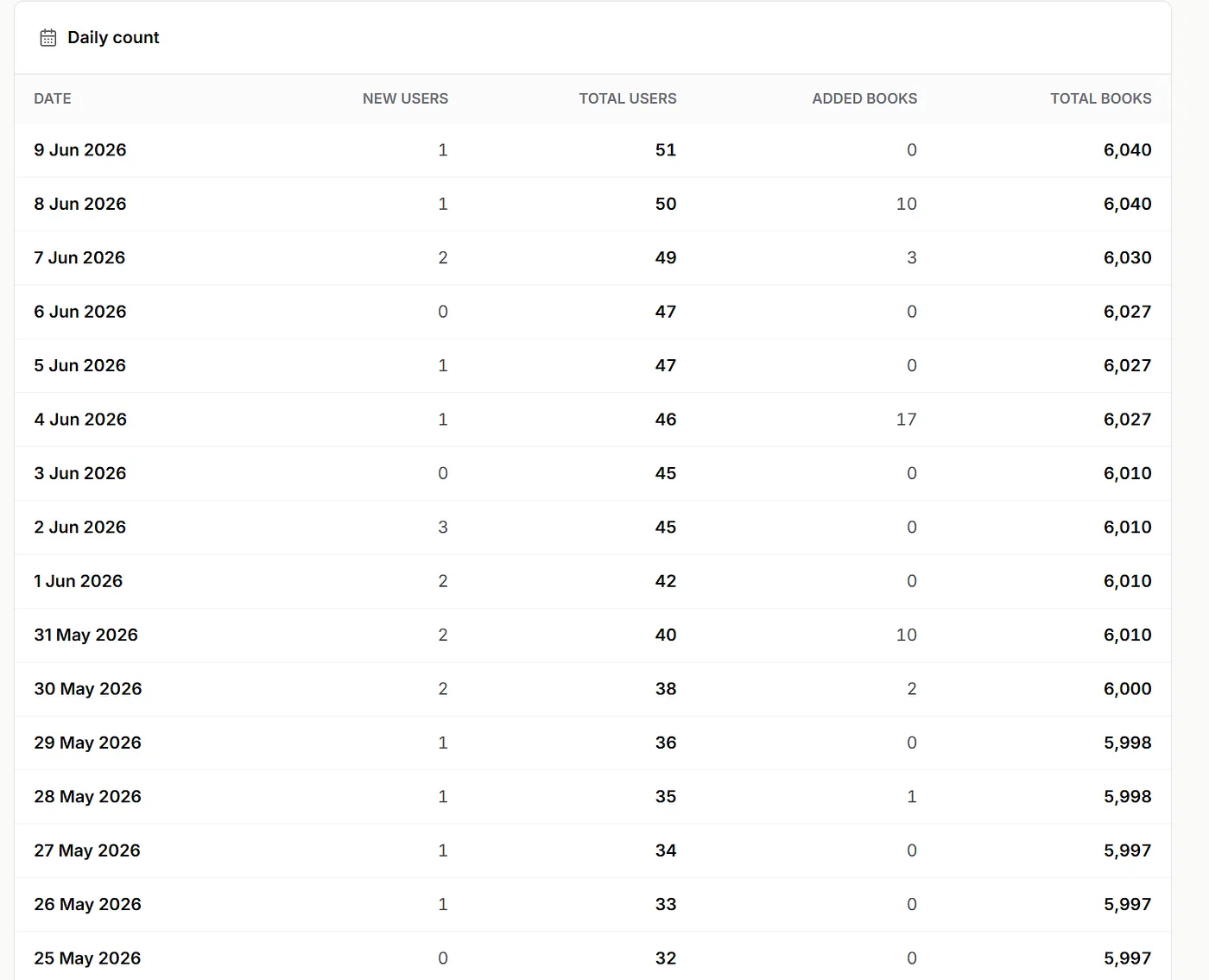
It’s called readerprint and I released it 1 month ago and it has 51 users. But in reality, it probably has like 3 users that actually use it as everyone that tried it has bounced off it.
This just goes to show, you can have 19,800 followers but that doesn’t mean you will actually get that many to use your new product.
What better way to teach AI to you than to open book what I am doing and to see if it works.
The idea is that you will probably encounter similar problems to me and then I can also share cool tools that will be helpful with most of your website projects. I’ll also teach startup lessons from Y Combinator along the way that will applicable no matter what you are doing.
Also feel free to critique what I am doing. This is an exercise where everyone can learn and the Medium comments are great for that.
With that said, here is the website. As mentioned, it’s called readerprint and it’s a place to find books tailored to you. I built it because I don’t like the books that Goodreads recommends or Amazon and found I was getting recommended stuff that I didn’t enjoy.
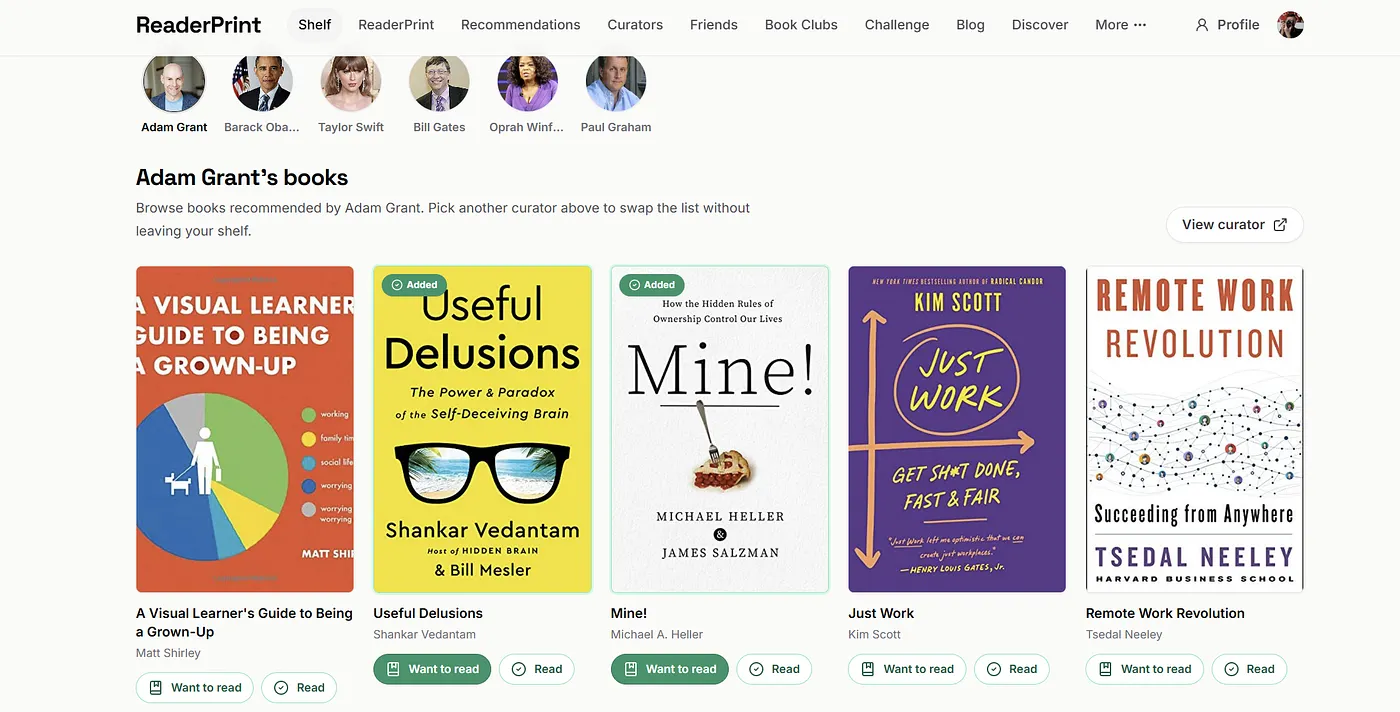
On the website you will see it has a lot of features, but I’m encountering the problem that a lot of you will, which is that people aren’t really using it how I want or they are getting confused, or they are just bouncing from the site.
Teaching point 1 — what have you learned from your users
Section titled “Teaching point 1 — what have you learned from your users”Here is Paul Graham
“I recently told applicants to Y Combinator that the best advice I could give for getting in, per word, was
Explain what you’ve learned from users.
That tests a lot of things: whether you’re paying attention to users, how well you understand them, and even how much they need what you’re making.”
https://paulgraham.com/users.html
Now I am failing that test. I have users on my site but I haven’t received much feedback.
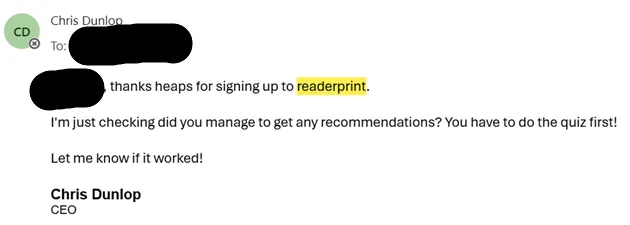
I send these emails to users when they sign up and have only got one response which was a person saying that they were busy lol.
But Bill Ramos from Medium gave some great feedback which was that my site needed to make it easier for the user to provide a comment to me in the site.
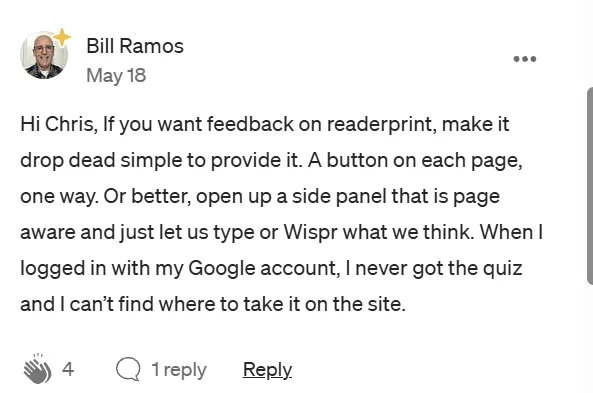
Bill raises a great point, if I want feedback, I should make it easier to give!
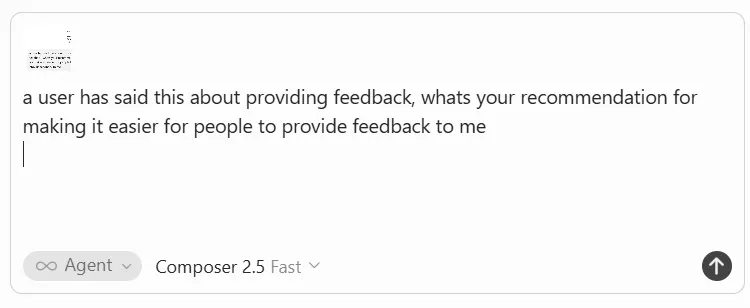
I just pasted his comment in Cursor and it built the feature in one prompt.
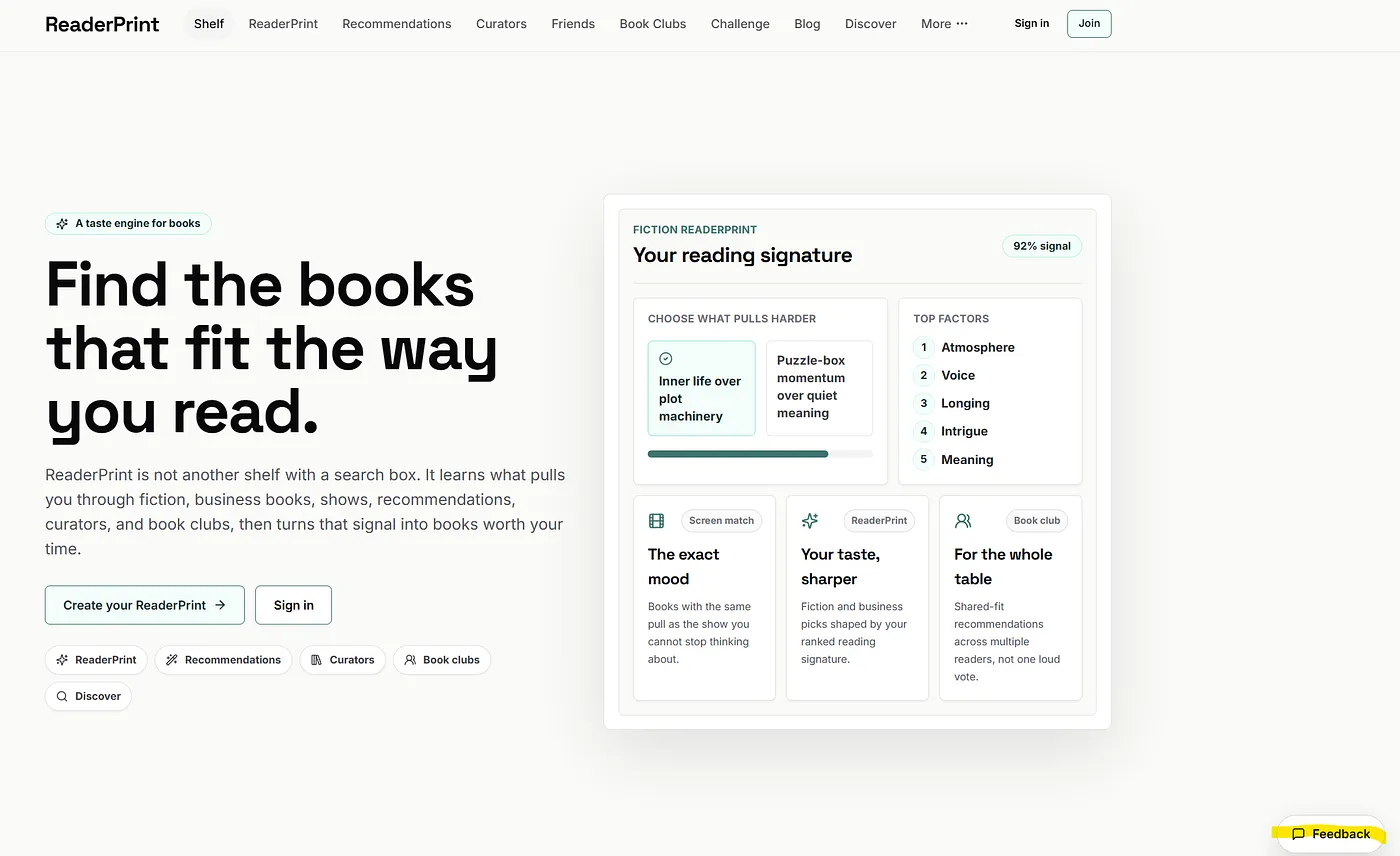
Down the bottom right of the page it added a feedback box.
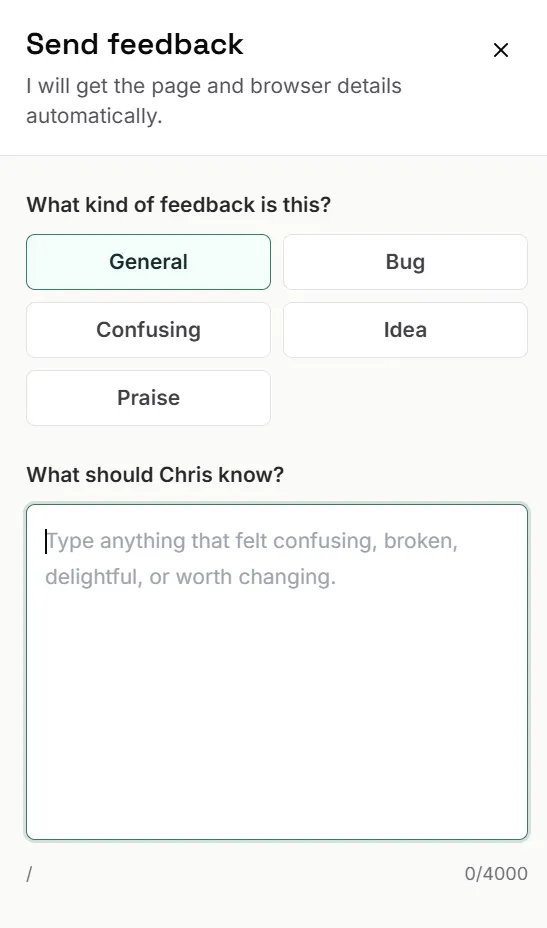
One thing I’ve learnt about feedback tools is it’s better to integrate them to your email. So I just asked “Can you make it so that I get an email every time someone fills out the form.”
This uses an email service called Resend
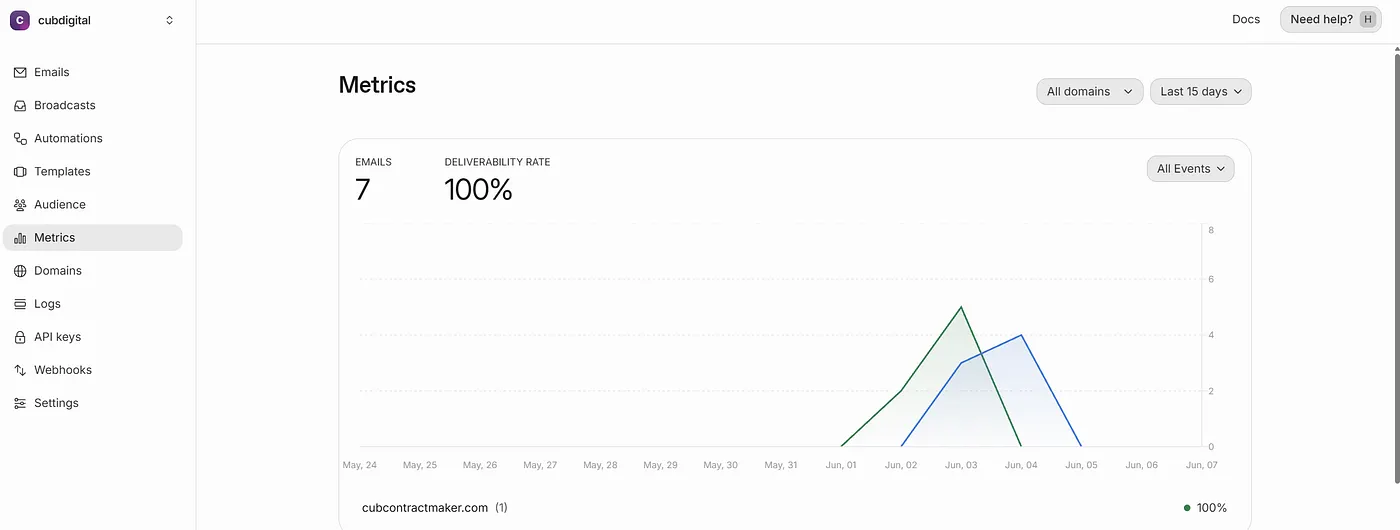
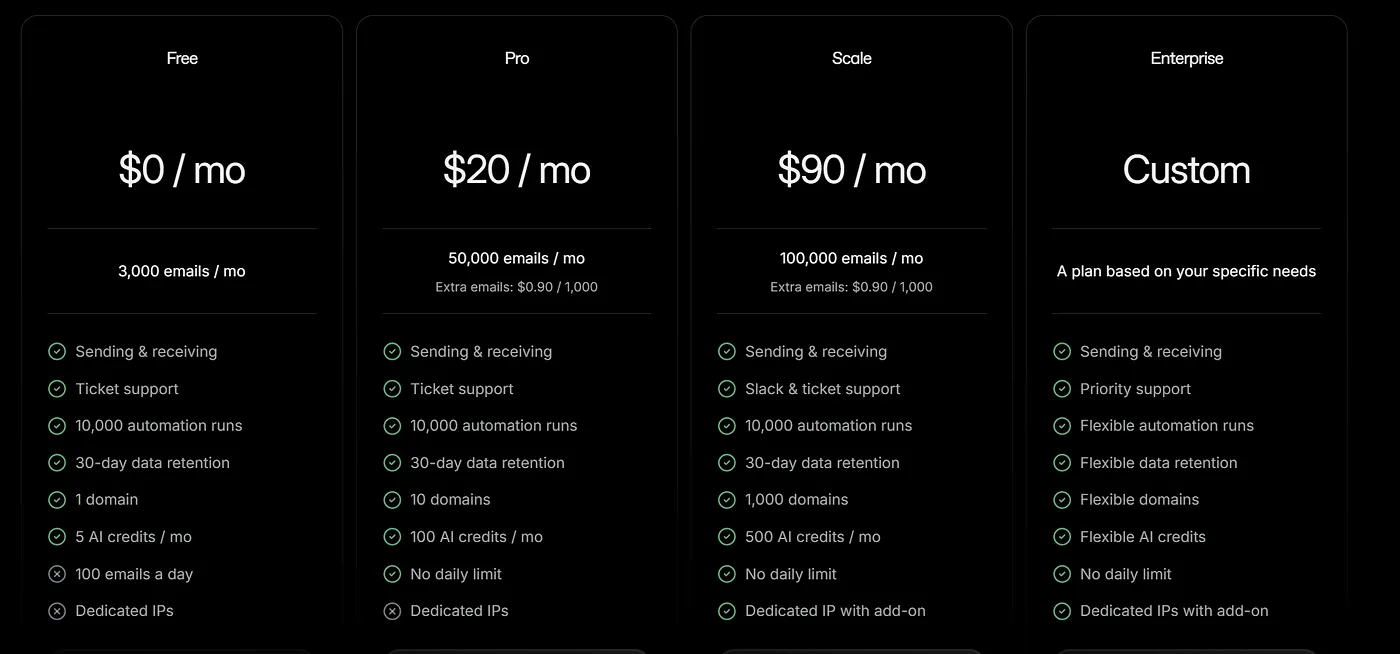
On the free plan you get up to 3,000 emails a month. For $20 a month you get 50,000 emails a month.
Teaching Point 2 — Integrate email to your product
Section titled “Teaching Point 2 — Integrate email to your product”It’s super easy and free when you are getting started. This will make sure that you don’t miss when users send you an email. It also means you can send welcome emails.
Now let’s give it a test.
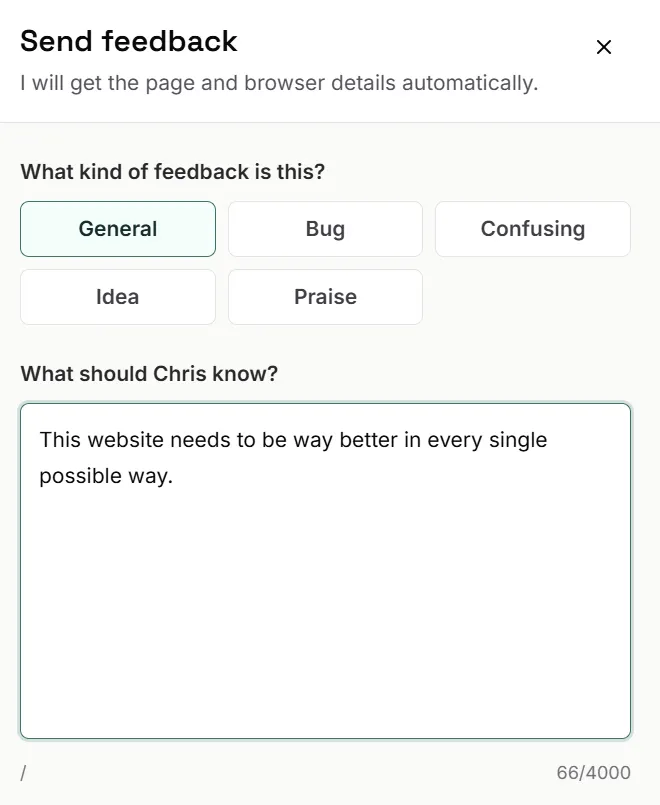
Then this comes through as an email.
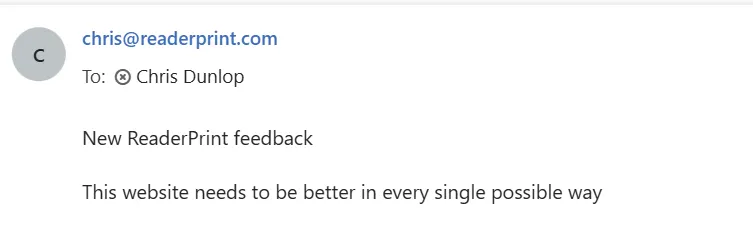
Resend is a great tool that most sites end up using in one way or another.
Teaching Point 3 — install Posthog early for your product
Section titled “Teaching Point 3 — install Posthog early for your product”Posthog is an analytics tool and it’s super easy to install. It will then track your users activity.
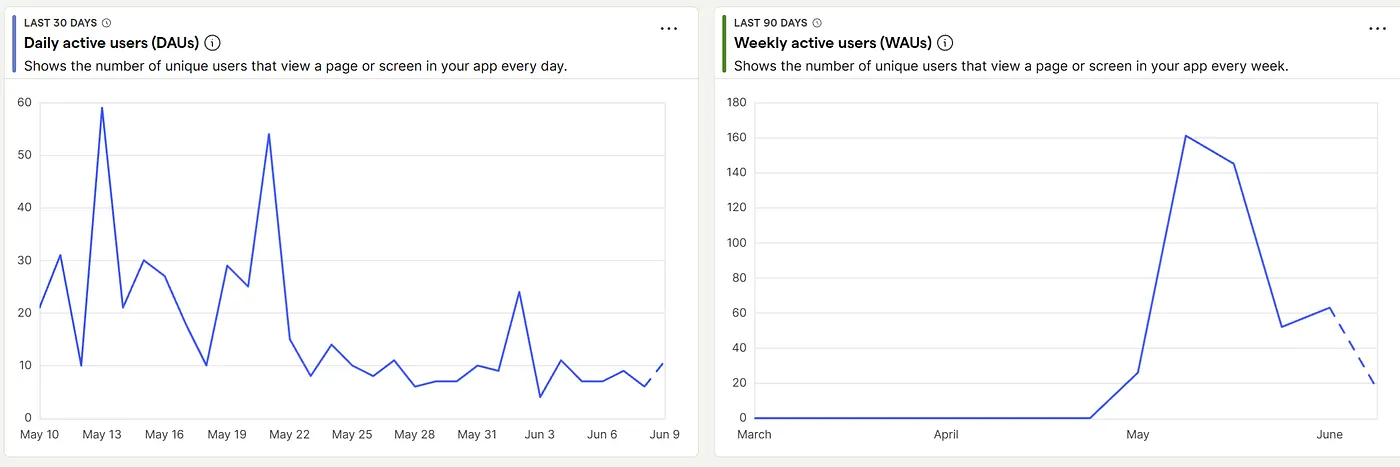
The above shows my usage graphs, there was an initial spike when I posted about it on Medium and then it has started to drop off.
One thing that has been cool is that I’ve been getting users everyday come to the site.
Teaching Point Number 4— get Cursor to critique your Posthog data like Y Combinator would
Section titled “Teaching Point Number 4— get Cursor to critique your Posthog data like Y Combinator would”I wrote this prompt in Cursor, “can you use posthog to do some calls to look at my events and activity logs and tell me areas for improvement, as though this was a Y Combinator office hours”
The feedback was tremendously helpful. I like it because it’s honest, to the point and tells you what you suck at. It feels very un AI because it is so honest and gives you actual things to focus on.
Here is what it said:
Roughly 435 visitors in 90 days. A launch spike already fading. And the median session was one page long. One. People arrived, had a look around, and left before doing the single thing the site exists to do.
Then it gave me five honest lines.
- Stop adding features. You are flying blind. (I had been adding features. It could tell. We are all probably adding way too many features with AI.)
- You have a wedge. Everything else is noise. My power users were bouncing between five different things while everyone else saw one page and bailed. Classic symptom of a product spreading itself thin before proving anyone wants the core.
- You had a moment and you let it go. Medium sent you 59 users, your content marketing worked. But with a median of 1 pageview per session, you leaked them. The question is not “how do I get more traffic?” It is “what should have happened after they read the Medium post?”
- Your activation metric is obvious, so pick it. Stop staring at daily active users. Track the percentage of new visitors who finish a profile and save at least one book within seven days. That is the only number that means anything yet.
- Activation is your bottleneck. Pouring more traffic into a leaky bucket just gets you a wetter floor.
This was honestly so refreshing, just having an AI blast through the noise and tell you what is good and what sucks.
Teaching Point 5 — then get Cursor to make a plan to address the changes
Section titled “Teaching Point 5 — then get Cursor to make a plan to address the changes”Once you have the Y Combinator feedback, you can just type, “can you please make a plan of how you would fix this” and let the AI build that out for you. After 10 minutes, I got a 500 line markdown file filled with a bunch of recommendations.
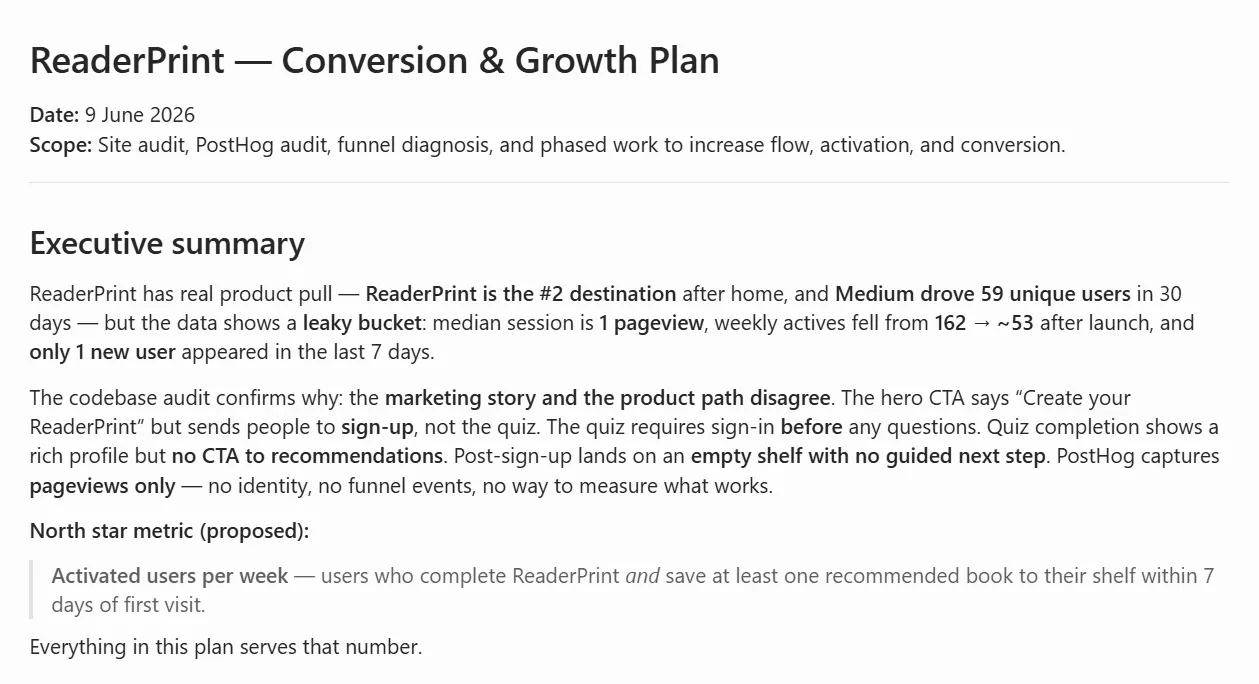
Already here we have reached a really cool point. Once you implement this plan you have gone a long way to improving the product.
What it changed
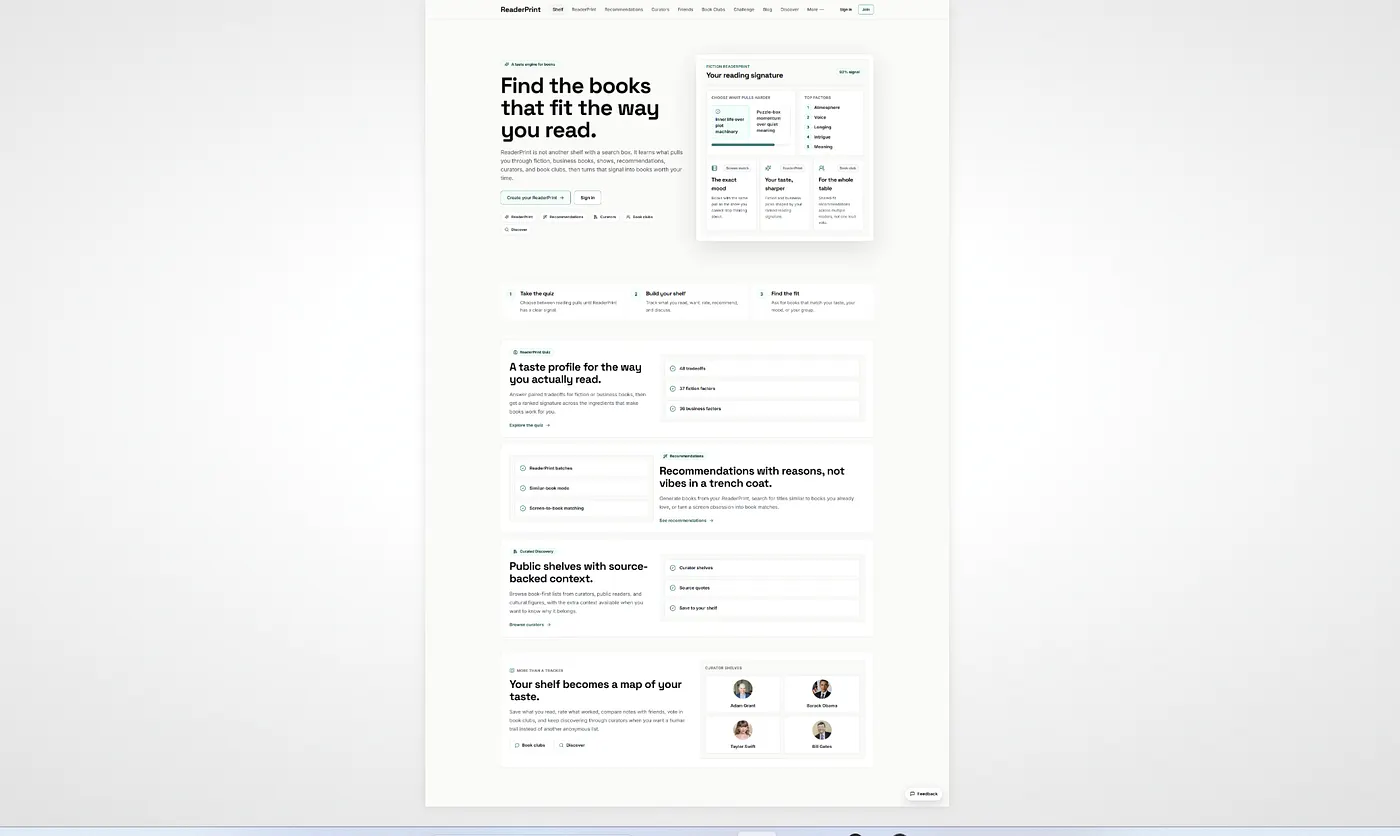
Section titled “What it changed”This is what the home page was.
This is what it changed it to.
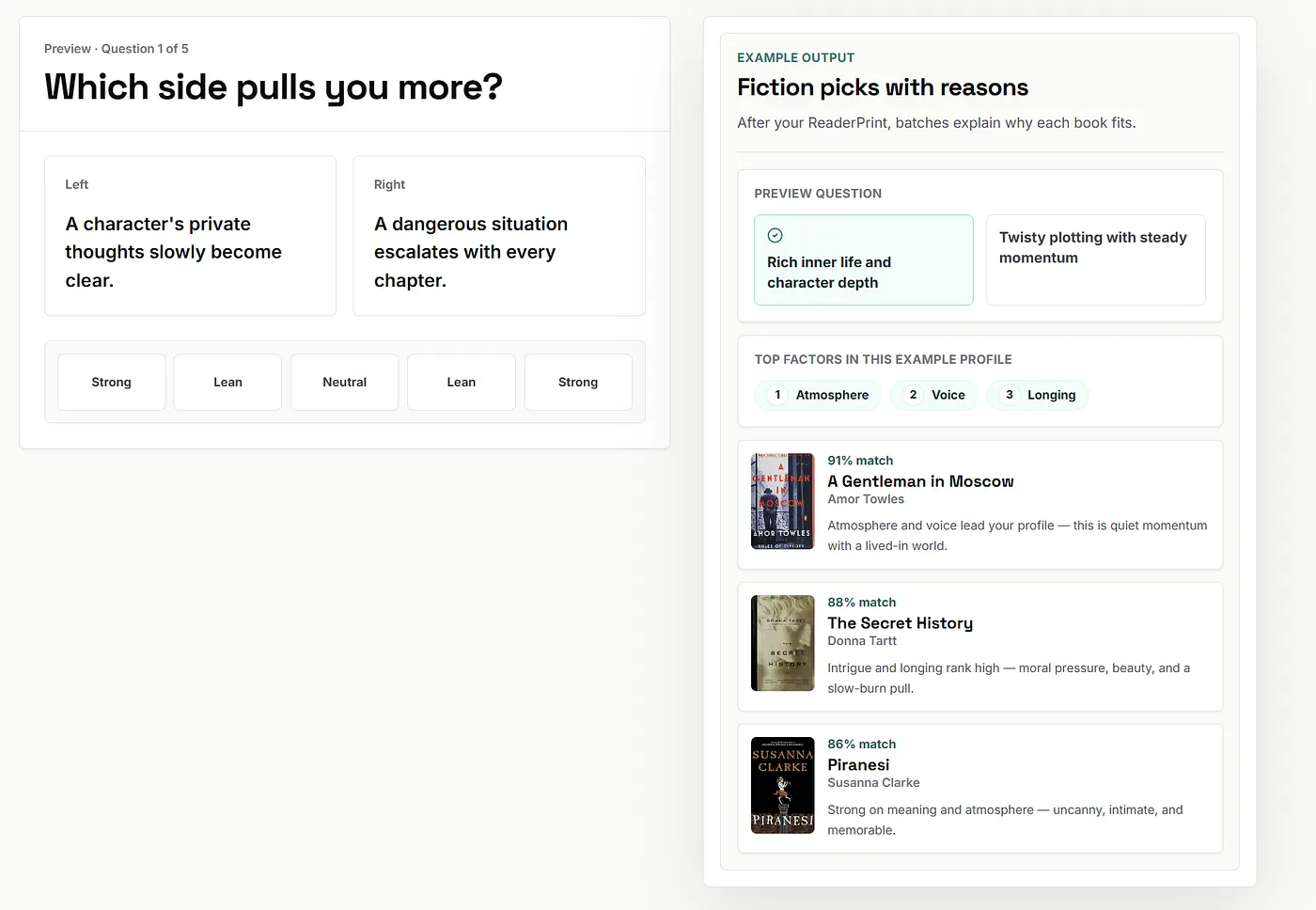
The changes were
- Giving a taste for what you could expect
- Making the home page shorter
- Making it so you could do a mini quiz of 5 questions and see the results before doing the full 48 question quiz.
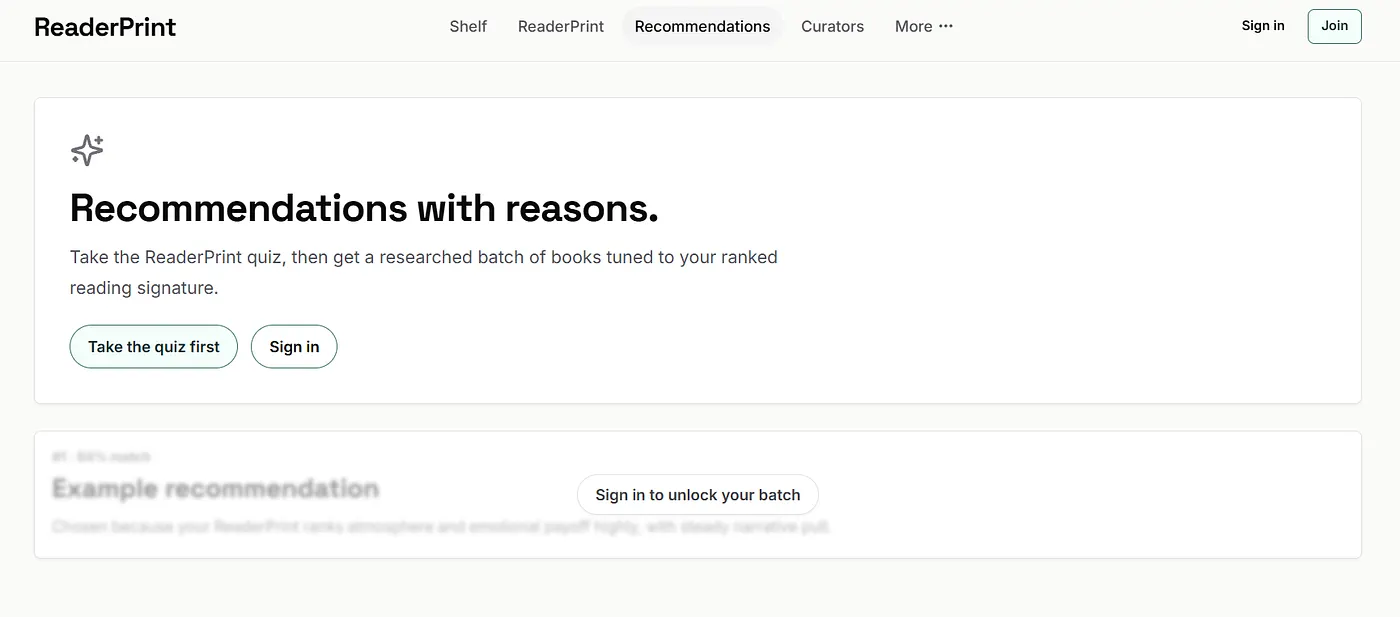
It reduced the navigation bar at the top to this

It used to be this

Which just had way too many pages.
It also just made the whole experience easier to reinforce that you need to take a quiz.
In part 2 of this series, I will follow up and talk about the changes and then see if it actually resulted in any improvement.
To sum up here is what you can takeaway from this post
Section titled “To sum up here is what you can takeaway from this post”- Paste raw user feedback straight into Cursor and let it build the feature. Bill’s comment about needing an easier way to give feedback became a working feedback box in one prompt.
- Wire your product into email early. A quick prompt like “email me every time someone fills out the form” hooks up Resend so you never miss a user reaching out, and it sets you up to send welcome emails too.
- Install Posthog from day one. It tracks user activity in the background, so by the time you want answers the data is already there.
- Point Cursor at your own analytics and tell it to be harsh. The prompt “look at my Posthog events and tell me areas for improvement, as though this was a Y Combinator office hours” turns a polite assistant into a blunt advisor.
- The framing clause does the work. Asking for “Y Combinator office hours” is what gets you honesty instead of flattery. Name the toughest critic you can think of and the model will play the part.
- Use the brutal read to stop yourself adding features. AI makes it easy to keep shipping, and an honest analytics review will tell you when you are spreading thin before proving the core works.
- Let the same tool turn the diagnosis into a plan. Once Cursor has told you what is broken, the next prompt is getting it to lay out the changes to fix it.
Before you go
Section titled “Before you go”Subscribe to my free Substack newsletter because you get the following:
- A brand-new article for executives/CEOs on Sunday that’s only posted on Substack.
- Links to every Medium post I’ve written in the past week
- Book recommendations every week for you to spend your Audible credits on
If you want to sign up to www.readerprint.com and give me feedback and be a beta users I would love it. As mentioned I’ve had just 1 piece of feedback. If it sucks tell me! If you are a UX expert, tell me! I’d love any feedback at all:)!